

I’ve been hosting WordPress websites with cyon for years. I’m happy with their hosting, and LiteSpeed Cache does a great job of making my sites fast.
There’s just one limitation: LiteSpeed’s built-in crawler isn’t available on my hosting.
That’s understandable. Crawlers generate additional server requests, and on shared hosting, resources have to be shared fairly. In fact, LiteSpeed’s own documentation explains why hosting providers may restrict this feature.
Still, it leaves a small but annoying problem.
Who rebuilds the cache after a purge?
When WordPress content changes, affected cached pages need refreshing. Purging them removes the outdated entries, but leaves those pages temporarily uncached.
But without preloading, the next visitor may be the one who has to wait while WordPress generates the page again.
I’d rather have that work happen before someone visits.
Preloading WordPress pages without the LiteSpeed crawler
I develop and maintain Cache Autopilot, a WordPress plugin that detects content changes, refreshes affected pages and preloads them in the background.
It works alongside LiteSpeed Cache rather than replacing it. And importantly, it doesn’t need LiteSpeed’s built-in crawler.
Getting the preload requests right took some investigation. At one point, the requests completed successfully, but real browsers still encountered cache misses. A successful HTTP request doesn’t necessarily mean the cache is ready for visitors.
After testing different request configurations, I found an approach that consistently produced browser cache hits for the public pages I tested.
Now, when content changes, Cache Autopilot can purge the affected pages and preload them automatically — without enabling the LiteSpeed crawler or clearing the entire cache unnecessarily.
If you’re curious about how Cache Autopilot came about, I’ve also written about the problem that led me to build it.
Real-world results: How long does WordPress cache preloading take?
I’ve tested Cache Autopilot on several live WordPress websites. On one larger site hosted by cyon, a full cache preload produced these results:
- Pages preloaded: 1,195
- Average HTTP response time: 0.77 seconds per page
- Total preload time: 26 minutes
The site has a PHP execution limit of 300 seconds and a server cron job running every minute. Cache Autopilot works in automatically paced batches, sending one page request at a time rather than several simultaneously.
At the time of writing, its automatic pacing allows up to 51 pages or 96 seconds per cron run (for that particular website), based on recent response times. Short pauses and cron scheduling also contribute to the overall preload time.
Of course, these numbers aren’t universal. Every website is different, and performance depends on the hosting environment and how quickly WordPress generates its pages.
The important part? A full-site preload isn’t needed after every change. During everyday publishing, Cache Autopilot focuses on refreshing affected pages whenever possible.
The solution is free
This functionality is included in Cache Autopilot Free on WordPress.org. No subscription, no trial period.
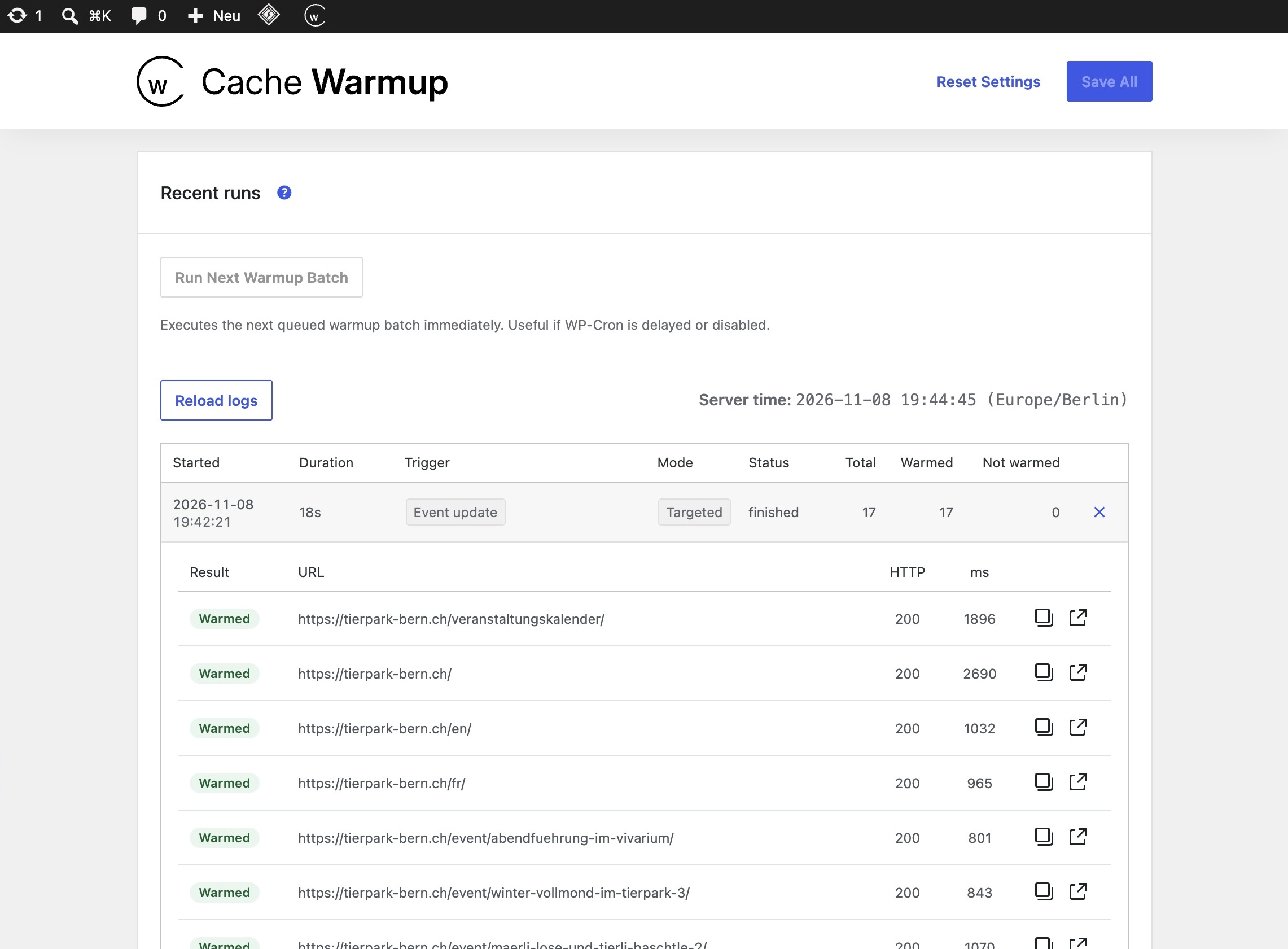
If you’re running WordPress with LiteSpeed Cache and your hosting provider has disabled the crawler, you might find it useful too.
I’ve also written a more detailed guide explaining the problem, how the two plugins work together, and how to verify that preloading actually works:
LiteSpeed Crawler Disabled? How to Preload Your WordPress Cache Anyway
Sometimes the solution isn’t convincing your host to enable another feature. It’s finding a way to work with the hosting environment you’ve already got.